Compatible
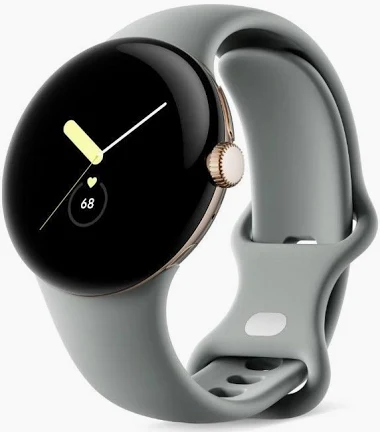
How to Connect Google Pixel Watch to Your iPhone.
Your Google Pixel Watch runs Wear OS, has Bluetooth, and supports Google Play Store — Lynio bridges it with your iPhone in minutes.
LYNIO
⌚
Wear OS ✓
Google's watch platform

Bluetooth ✓
Wireless pairing
Google Play Store ✓
Install Lynio Watch
Connect in 3 Steps
2
⌚
Install Lynio Watch on your Google Pixel Watch
Open the Google Play Store on your Google Pixel Watch, search "Lynio Watch" and tap Install. Your watch's Bluetooth will handle the rest.
3
🔗
Follow the in-app pairing guide
Open Lynio on your iPhone. It walks you through pairing step by step — takes about 2 minutes.
What You Get After Pairing
📞
Calls on your wrist
🔔
iPhone notifications
👤
Caller ID & contacts
❤️
Health → Apple Health
🎵
Music control
🔄
Auto reconnect